Rolling Icon: 3D Wallpaper
Maxlabs Personalization ToolsPersonalization
4.41.39K Reviews
- Version
- 7.7.6
- Installs
- 10.00M
- Age Rating
- Everyone
Screenshots
Our Review of Rolling Icon: 3D Wallpaper
 Analysis by Appyee
I like a home screen that feels personal, but I usually get that from a wallpaper image or a careful arrangement of icons. Rolling Icon: 3D Wallpaper takes a different route: it turns the icons into moving objects, giving the screen a playful, physical quality. The idea is easy to understand at a glance, but it works best when you treat it as a visual effect to tune rather than a complete replacement for the ways you normally organize your phone.
Transforming Your Home Screen
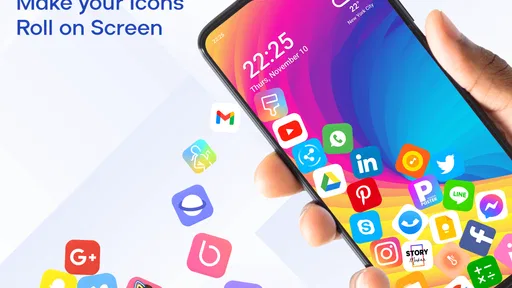
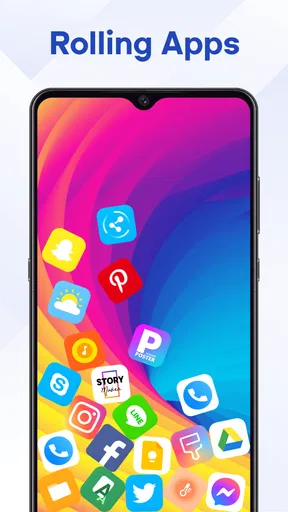
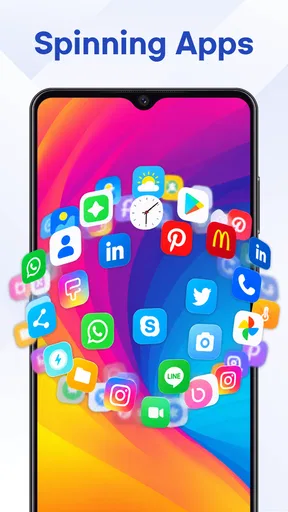
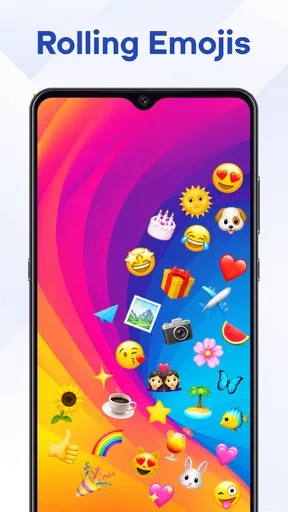
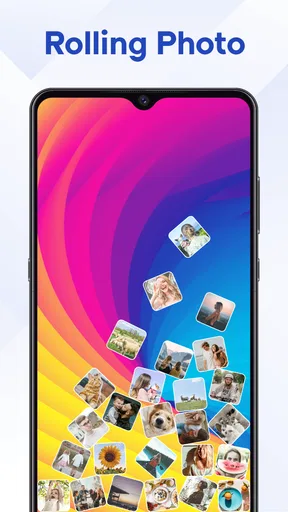
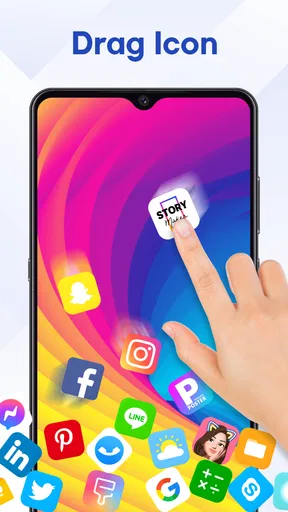
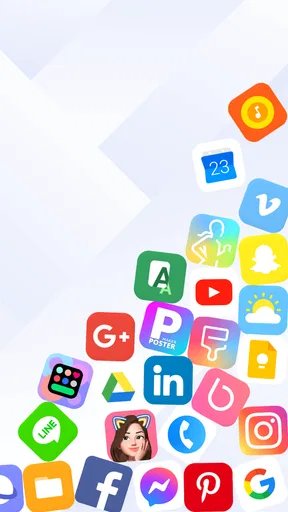
First things first, let's talk about what Rolling Icon: 3D Wallpaper actually does. Imagine your icons rolling around on your screen, responding to your touch and tilting as if they have a life of their own. It's like having a mini 3D world right in the palm of your hand! The app presents a rolling-icon effect on a live wallpaper, with motion tied to real-world gravity. That gives it a distinctive place among personalization apps: instead of asking you to find a prettier still image, it makes movement the main attraction.
That distinction matters if you are deciding whether to keep it. A static wallpaper is calmer and usually asks nothing of you once it is set. A conventional live wallpaper may animate scenery or patterns, while this one makes familiar app icons part of the motion. I find that more noticeable and more playful, but it can also make the home screen feel busier. If you prefer a clean, quiet display that never competes with the icons you need to tap, a still background is likely the better choice.
Setting It Up
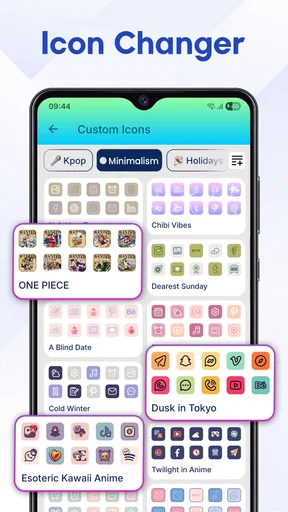
Setting up the app was a breeze. You just download, open it, and follow the simple instructions. It asks for a few permissions, but nothing out of the ordinary for a wallpaper app. Once you’re in, you can choose from several themes. I went with the "Galaxy" theme, and it was like having a little piece of the universe on my screen. The colors were vibrant, and the 3D effect was quite convincing.
Before settling on a look, I would check how the wallpaper sits beneath the icons and widgets you use every day. A striking theme can look great in an uncluttered preview and become hard to read when your usual shortcuts are back on top. Try the effect on the screen you actually use, not just the setup view, and judge it while opening an app or checking a notification. That small test is a better guide than choosing a theme solely for its initial visual impact.
Customization Galore
One of the things I loved most was the level of customization available. You can adjust the sensitivity of the motion effects, change the speed of the rolling icons, and even select which icons you want to roll. It's like being the director of your own home screen experience. I spent a good chunk of time playing around with different settings until it felt just right.
Those controls are more useful when treated as a way to manage attention, not simply as a way to make everything move as much as possible. If the phone sits on a desk that gets bumped, a less sensitive response may keep the display from feeling constantly unsettled. If you mostly pick up the phone while moving around, a subtler setting can make the effect present without dominating every glance. I would also start by limiting which icons roll, then expand the selection only if the result remains easy to navigate. That gives you a more practical baseline than changing several controls at once and trying to guess which adjustment helped.
This makes the app especially suited to people who like to personalize their device and enjoy a little visual novelty between tasks. It can also be a fun choice for someone who wants their phone to feel more animated without replacing their everyday apps or learning a complicated editing workflow. On the other hand, anyone who values immediate, predictable taps above all else may prefer not to have the icons visually in motion. The appeal is personal: the effect should make you smile, not make you pause to find a familiar shortcut.
A Bit of a Battery Drainer
Now, as much as I love this app, I have to be real with you. The 3D effects can be a bit of a battery drainer. I noticed my phone's battery draining faster than usual, which is something to keep in mind if you’re always on the go. However, for me, the trade-off was worth it for the sheer cool factor.
That trade-off is easier to judge with a simple routine than with a quick glance. Use the live wallpaper during an ordinary stretch of your day, then decide whether its visual payoff is worth the extra activity on your particular phone. If you are heading out with limited battery, you may want a quieter wallpaper instead; if you are mostly near a charger, the effect may feel like a reasonable indulgence. I would not assume the same battery experience on every device, so the useful question is whether you notice a meaningful difference in your own normal use.
Performance and Stability
In terms of performance, the app ran smoothly on my device. I didn’t experience any crashes or bugs, which was a relief. The app is regularly updated, and the developers seem committed to improving the experience, which is always a good sign.
Rolling Icon: 3D Wallpaper is a free app from Maxlabs Personalization Tools, and its current version is 7.4.9. It runs on Android 6.0 and later, so checking that requirement before trying it can save a little frustration on an older device. The app has a 4.4 average from around 68,000 ratings and has passed 10 million installs, which suggests that the moving-icon idea has found a sizeable audience. It is rated for Everyone, while optional in-app purchases range from $4.99 to $39.99 per item.
The version number and its release history give some context for people who already use it, but they do not tell me exactly which visible changes arrived in each update. What I can judge is the current experience: the core appeal remains the physical, rolling treatment of icons, and the controls let users shape how prominent that motion feels. Existing users who already like their setup have little reason to change their habits just because a version number advances; I would check the available settings after an update only if the wallpaper starts behaving differently or I want to revisit the look.
For a realistic everyday test, imagine setting the phone down beside you while you work, then picking it up to open the same few apps throughout the day. The movement can make those ordinary interactions feel more lively, but a busy arrangement of widgets and shortcuts may hide the effect or make the screen harder to scan. I would keep the most-used apps in familiar positions and let the rolling treatment be a background accent rather than relying on motion to guide navigation. That keeps the novelty from getting in the way of the phone’s basic job.
Sharing the Fun
Another fun feature is the ability to share your customized wallpaper with friends. I sent a few screenshots to my friends, and they were all like, "Whoa, what app is that?" It’s a great way to impress your pals and maybe even get them to join in on the fun.
A screenshot is a good way to show the style, but it cannot convey the part that makes this wallpaper different: the response to motion. If someone asks what they are seeing, I would describe the effect and let them try it on their own device rather than expecting a still image to explain it. That also helps set expectations: this is a small, interactive flourish for the home screen, not a new way to manage apps or a replacement for a launcher built around organization.
Who Will Enjoy the Motion—and Who May Not
I would recommend trying it if you enjoy experimenting with your home screen, like 3D effects, and do not mind spending a few minutes tuning sensitivity and speed. It is especially appealing if your current wallpaper feels dull and you want a change that is immediately visible when you pick up the phone. The free entry point makes it easy to see whether the rolling style suits you before deciding whether any optional purchase is worth considering.
I would skip it if battery economy is your main priority, if you want an entirely static display, or if movement tends to distract you while you are trying to tap quickly. People who mainly want a polished photograph or a simple color background will probably be happier with a standard wallpaper. And if your goal is to rearrange icons, build a more functional layout, or change the behavior of the home screen itself, a launcher or another kind of personalization tool is a more relevant alternative. This app’s strength is its distinctive visual motion, not broad home-screen management.
What I Would Watch Over Time
The remaining question for me is not whether the effect is unusual—it is—but whether it continues to feel enjoyable once the novelty wears off. I would judge that by checking whether I still like the movement during routine use, whether my chosen icons remain easy to find, and whether the battery trade-off feels acceptable on my own phone. These are more useful tests than trying to make every icon move or choosing the most dramatic settings on the first day.
For existing users, the practical approach is to keep a preferred setup in mind and make changes deliberately if an update or a new theme tempts you to experiment. For newcomers, I would begin with a restrained selection of rolling icons and moderate motion, then adjust one setting at a time. If the display feels lively but remains readable, you have likely found the balance; if you catch yourself waiting for movement to settle before tapping, the effect is probably too strong for your habits.
In conclusion, Rolling Icon: 3D Wallpaper is a fantastic app for anyone looking to spice up their phone's home screen. It's fun, engaging, and adds a unique touch to your daily smartphone experience. Just keep an eye on that battery life! If you're ready to roll into a new dimension of customization, give this app a try. Who knew your icons could be this entertaining?
Privacy and Permissions
See what permissions an app requests and how it handles your data.
- Photos/Media/Files
- read the contents of your USB storage, modify or delete the contents of your USB storage
- Storage
- read the contents of your USB storage, modify or delete the contents of your USB storage
- Wi-Fi connection information
- view Wi-Fi connections
- Other
- view network connections, full network access, set wallpaper, draw over other apps, control vibration, prevent device from sleeping, modify system settings, Google Play license check
Verdict
Strengths of Rolling Icon: 3D Wallpaper
- Visually stunning 3D effects
- Interactive wallpaper experience
- Customizable icon designs
- Smooth performance on most devices
- Easy setup and navigation
Limitations of Rolling Icon: 3D Wallpaper
- May drain battery faster
- Limited free customization options
- Ads in the free version
- Requires newer OS versions
- Can be distracting for some users
Other Releases by Maxlabs Personalization Tools
View All
Neon LED Keyboard: RGB & Emoji
Personalization4.7

Edge Lighting: LED Borderlight
Personalization4.6

Fluid Magic: 3D Live Wallpaper
Personalization4.4

Themes: Widgets & Icon Changer
Personalization4.7
Similar Picks in This Category
View All
Microsoft SwiftKey AI Keyboard
SwiftKey4.3

Wallpapers
Google LLC4.1

Zedge™ Wallpapers & Ringtones
Zedge4.7

Yandex Browser with Alice AI
Direct Cursus Computer Systems Trading LLC4.3

Ringtone Maker:create ringtone
Big Bang Inc.4.7

Fonts Keyboard
Fonts Keyboard3.9
Frequently Asked Questions
What is Rolling Icon: 3D Wallpaper?
Rolling Icon: 3D Wallpaper is an innovative app that transforms your home screen with dynamic, interactive 3D icons. It allows users to personalize their devices with visually engaging and customizable wallpaper effects, offering a unique way to interact with your apps and improve your user experience.
How does the 3D effect work on the home screen?
The 3D effect in Rolling Icon: 3D Wallpaper uses your device’s accelerometer to create a parallax effect. This means the icons appear to ‘roll’ or move when you tilt your phone, providing an immersive and dynamic visual experience that adds depth and dimension to your home screen.
Can I customize the icons and wallpapers?
Yes, Rolling Icon: 3D Wallpaper offers a variety of customization options. Users can choose from a wide range of icon styles and wallpapers to match their personal taste. You can also adjust the sensitivity and speed of the rolling effect to suit your preferences.
Does the app affect battery life?
While Rolling Icon: 3D Wallpaper is designed to be efficient, the continuous use of 3D effects and accelerometer can have a minor impact on battery life. Users may notice a slight increase in battery usage, but the app provides options to adjust settings to minimize power consumption.
Is the app compatible with all devices?
Rolling Icon: 3D Wallpaper is compatible with most Android and iOS devices. However, to ensure optimal performance, it is recommended to use it on devices with updated operating systems and reasonable processing power. Older devices might experience less smooth operation due to hardware limitations.
